
Some courses offer additional language options, and students can switch languages directly within the course if another language is available.
How Students Change the Language
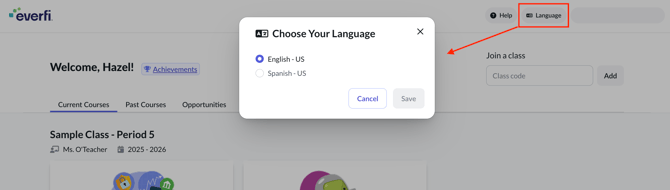
Students can adjust the language setting from within the course player by using the language menu shown on screen.
Step 1: Go to the Everfi student dashboard.
Step 2: Select Language in the top right‑hand corner.
Step 3: Choose your preferred language.
Courses available in that language will be accessible.
Check Language Availability
Not all courses offer multiple language options. To see which courses include translated versions, please refer to the Language Options of Our Courses article.