
Why course outlines are useful
Course outlines and planning resources help you:
- Understand what a course covers
- Preview lesson structure and topics
- Plan how the course fits into your classroom
These resources are available within each course.
Where to find course outlines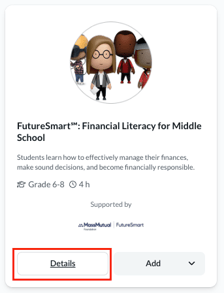
To access course outlines and related materials:
- Go to Explore Courses
- Find the course you want to review
- Select Details on the course card
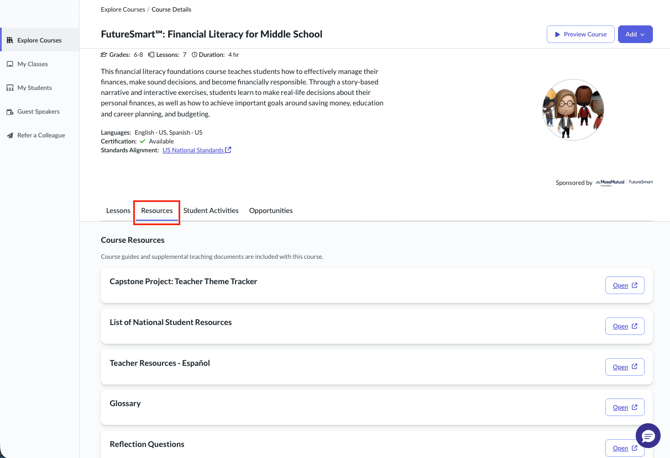
- Open the Resources tab
The Resources tab includes all planning materials available for that course.
What you can find in the Resources tab
Depending on the course, the Resources tab may include:
- Course outlines
- Curriculum or discussion guides
- Supplemental documentation
- Additional teaching materials
What to expect in a course outline
A course outline provides an overview of the course structure. It may include:
- Lesson summaries
- Key learning objectives
- Standards alignment
- Suggested pacing
- Related or supporting activities
Each course may present this information differently.
Things to keep in mind
- Not all courses include the same resources
- Materials are read-only and intended for planning
- You can review these resources before assigning a course