
We’ve introduced updates that make it easier for teachers to manage classes, improve password security, and streamline workflows. Here’s what you’ll notice:
Classic Teacher Dashboard
- Password Criteria Styling: Password requirement text is cleaner and easier to read.
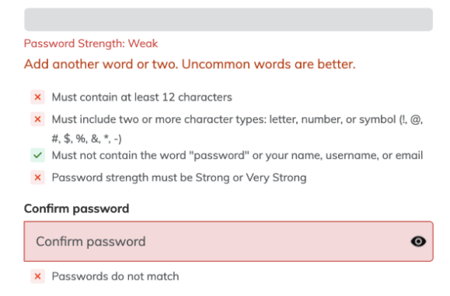
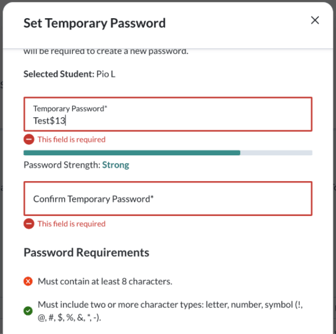
- Mobile-Friendly Password Reset: Teachers resetting passwords will have a smoother experience on mobile devices.
New Teacher Dashboard Enhancements
- My Students Page:
- “Classes” column renamed to Current Classes and now only shows current-year classes.
- Class Filter Added: Quickly filter students by current-year class for faster navigation.
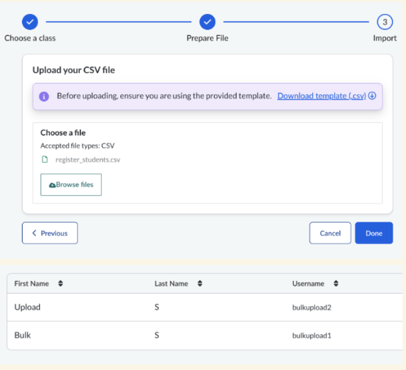
- Bulk Student Creation: Upload a CSV to create multiple students for non-rostered classes—ideal for supplemental groups or special projects.
- Password Strength Meter: Teachers and students will see a visual indicator of password strength, making it easier to create secure passwords.
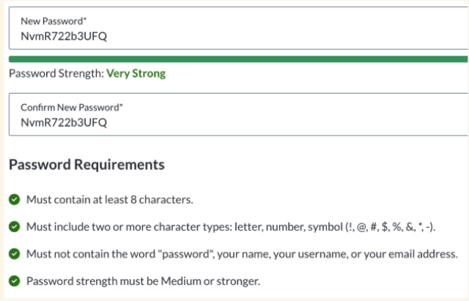
- Updated Student Password Requirements: Stronger password rules help protect student accounts.
- Accessibility Fixes: Improved keyboard navigation for multi-select checkboxes, ensuring compliance with accessibility best practices.
- Registration Code Handling: Students removed from a class will now see a clear error message if they try to use an old code—reducing confusion.
- Rostered Classes: Clever/ClassLink classes no longer trigger manual student-add modals, eliminating unnecessary steps.
Performance Improvements
- Faster load times for My Students and Student Details pages, improving efficiency during peak usage periods.
Why These Matter
These updates simplify class management, strengthen security, and improve overall usability. Teachers will notice faster workflows, clearer navigation, and helpful tools like bulk student creation and password strength indicators.