
When students use this process
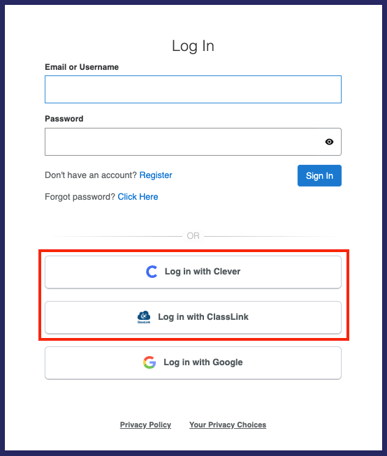
Some schools use Clever or ClassLink to manage student access to learning tools. Students at these schools use single sign‑on to access Everfi and do not register with a class code.
How students access Everfi using SSO
Students can access Everfi in either of the following ways:
- Log in to their school’s Clever or ClassLink portal and select the Everfi app
- OR go to platform.everfi.net and select Log in with Clever or Log in with ClassLink
What students see after signing in
Once signed in:
- The student’s Everfi account is created or synced automatically
- Assigned courses appear on the dashboard
- No class code is required
If a student does not see their courses
If courses do not appear right away:
- The teacher may not have assigned courses yet
- Students should refresh the page or check again later
If courses still do not appear, the student should tell their teacher so class setup can be reviewed.
Important notes for teachers
- Students will only see courses that have been assigned to them
- Teachers will not see Clever or ClassLink students in their roster until the student signs in at least once