
If a student has duplicate courses on their dashboard, it usually means they were assigned the same course from more than one class or teacher. You can confirm this by checking which class each course is tied to.
How to Check Which Class a Course Belongs To
- Log in to your Everfi Teacher Dashboard
- Go to the Students tab
- Search for the student by name
- Select the student to view the list of classes they are enrolled in
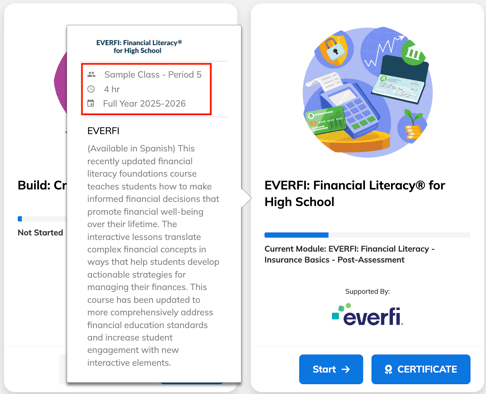
Each course on the student’s dashboard will match a class shown in this view. If the student is enrolled in multiple classes that contain the same course, duplicates will appear.
What You Can Do Next
- If the student should only be in one of the classes, remove them from the extra class
- If both classes legitimately use the same course, let the student know which one they should complete first
- If you’re unsure why a course is duplicated, you may also check with any co‑teachers or department staff who may have created overlapping assignments