
Ways to sign in
If your school uses Clever or ClassLink, you can access Everfi through your district's SSO system using either of these methods:
Option 1: Through your district's Clever or ClassLink portal
- Sign in to your district's Clever or ClassLink portal.
- Find and select the Everfi app.
Option 2: Through the Everfi login page
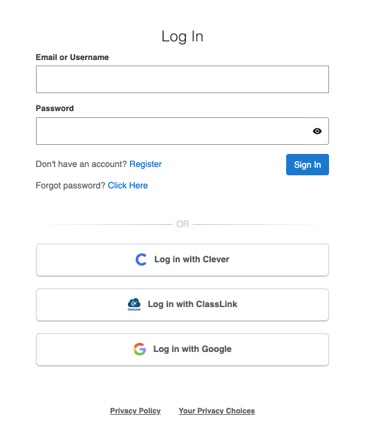
- Go to platform.everfi.net.
- Select Log in with Clever or Log in with ClassLink.
- Follow the prompts to sign in through your district's SSO provider.
Both methods allow you to access your Everfi teacher account through your district's SSO integration.
Important information for SSO teachers
If your school uses Clever or ClassLink, continue signing in through your district's SSO system. Do not create a separate Everfi account or use standard registration as a workaround for SSO login issues.
Your district manages the account information shared with Everfi, so your district IT or SSO administrator should be your first point of contact if your account isn't working as expected.
Need help signing in?
If you cannot access Everfi through Clever or ClassLink, first confirm with your district IT or SSO administrator that your teacher account and school are being shared correctly.
If your district confirms that everything is set up correctly but you still cannot sign in, contact Everfi Support for additional assistance.